WorkshopsJanuary 16, 202610 min
Build Your Personal AI Assistant: The Complete Setup Workshop
Create a customized AI development environment from scratch. Learn to configure Claude Code, build CLAUDE.md files, create custom skills, and connect MCP servers to your workflow.

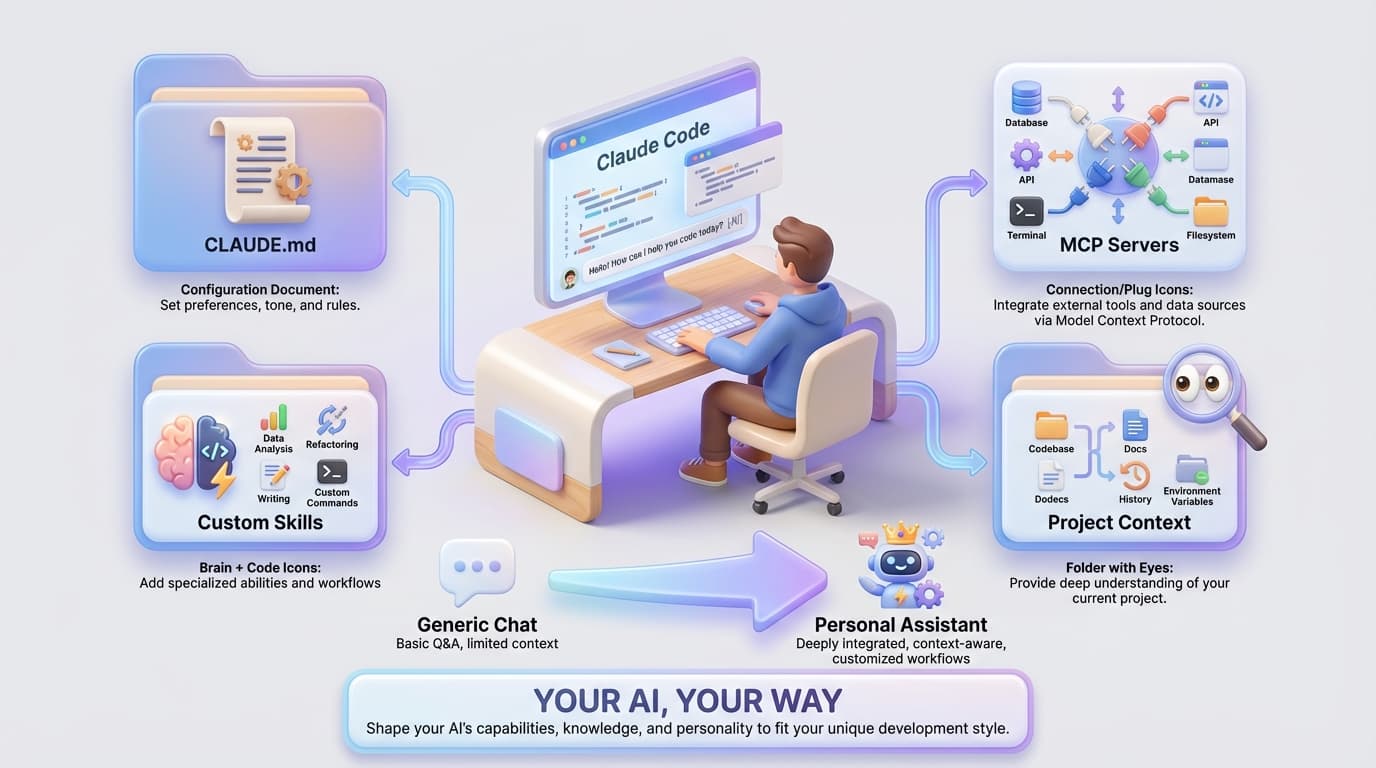
Build Your Personal AI Assistant: The Complete Setup Workshop
TL;DR: In one day, you'll build a complete personalized AI assistant environment with Claude Code, custom CLAUDE.md files, your own skills, and MCP server connections. Perfect for beginners.
Why This Workshop?
Most people use AI like a generic chatbot. But what if your AI assistant:
- Knew your coding style and followed your conventions automatically
- Remembered your preferences across all projects
- Had access to your data through secure connections
- Contained your expertise as reusable skills
That's what you'll build in this workshop.
The Transformation
| Before | After |
|---|---|
| Generic AI chat | Personalized assistant |
| Manual repetitive tasks | Automated workflows |
| No project context | AI knows your codebase |
| Starting over each session | Persistent knowledge |
What You'll Build
1. Optimized Claude Code Configuration
# Install
npm install -g @anthropic-ai/claude-code

# Configure
export ANTHROPIC_API_KEY="your-key"
2. Personal CLAUDE.md
Your AI context file that travels with you:
# Your Name's AI Context

## About Me
- Role: Senior Developer
- Expertise: TypeScript, React, Node.js
- Current projects: E-commerce platform

## My Preferences
- Direct and concise responses
- TypeScript strict mode always
- Tests alongside source files

## Tools I Use
- Editor: VS Code
- Package manager: pnpm
3. Custom Skills
Package your expertise:
# React Component Patterns

## Core Principles
1. Always use TypeScript
2. Functional components only
3. Custom hooks for logic

## Examples
[Your patterns...]
4. MCP Server Connections
Connect AI to your tools:
{
  "servers": {
    "memory": {
      "command": "npx",
      "args": ["-y", "@modelcontextprotocol/server-memory"]
    }
  }
}
Workshop Modules
- Foundation Setup - Install and configure Claude Code
- Personal CLAUDE.md - Create your context file
- Custom Skills - Package your expertise
- MCP Connections - Connect to tools and data
- Workflow Automations - Build time-saving commands
Who Is This For?
- Beginners new to AI coding assistants
- Developers wanting a personalized setup
- Teams standardizing AI workflows
- Anyone tired of repeating context to AI
Start Building
Ready to create your personal AI environment?
The perfect first step on your AI-augmented development journey.
Related Articles
- Build Your Own Jarvis with Claude Code — Advanced architecture
- Ultimate Guide to AI Coding Agents — The complete landscape
- Claude Code 2.1 MCP Revolution — Latest capabilities
Get Started
Build your first AI system
Step-by-step guide to setting up ACOS, creating your first agent, and shipping real products with AI.
Start buildingTemplates & Blueprints
Production-ready architecture
Download AI architecture templates, multi-agent blueprints, and prompt engineering patterns.
Browse templatesInner Circle
Join the builder community
Connect with creators and architects shipping AI products. Weekly office hours, shared resources, direct access.
Join the circle
Read on FrankX.AI — AI Architecture, Music & Creator Intelligence
Stay in the intelligence loop
Weekly field notes on AI systems, production patterns, and builder strategy.
Continue Reading
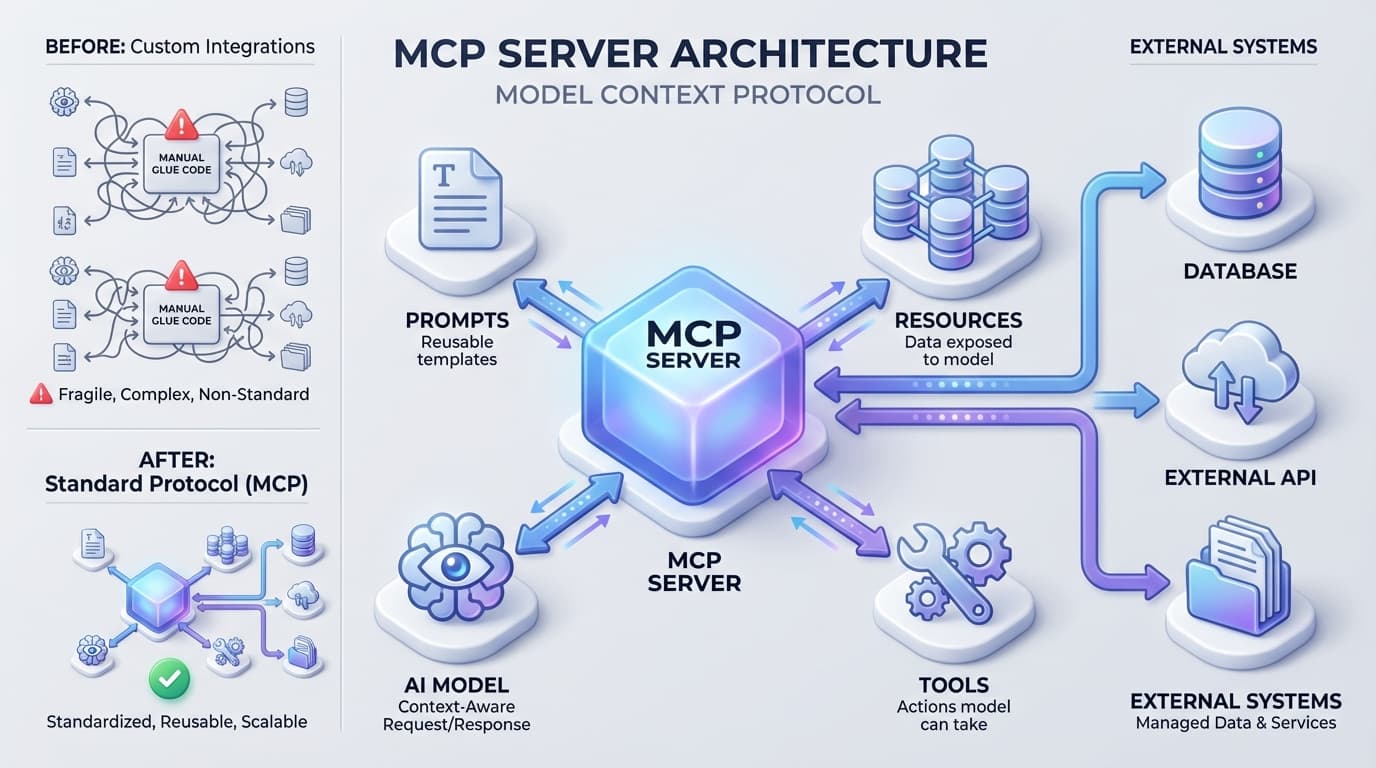
Workshops12 min
Build Your First MCP Server: The Model Context Protocol Workshop
Learn to build production-grade MCP servers that connect AI to your data. Master resources, tools, and prompts with the open standard revolutionizing AI integration.
Read article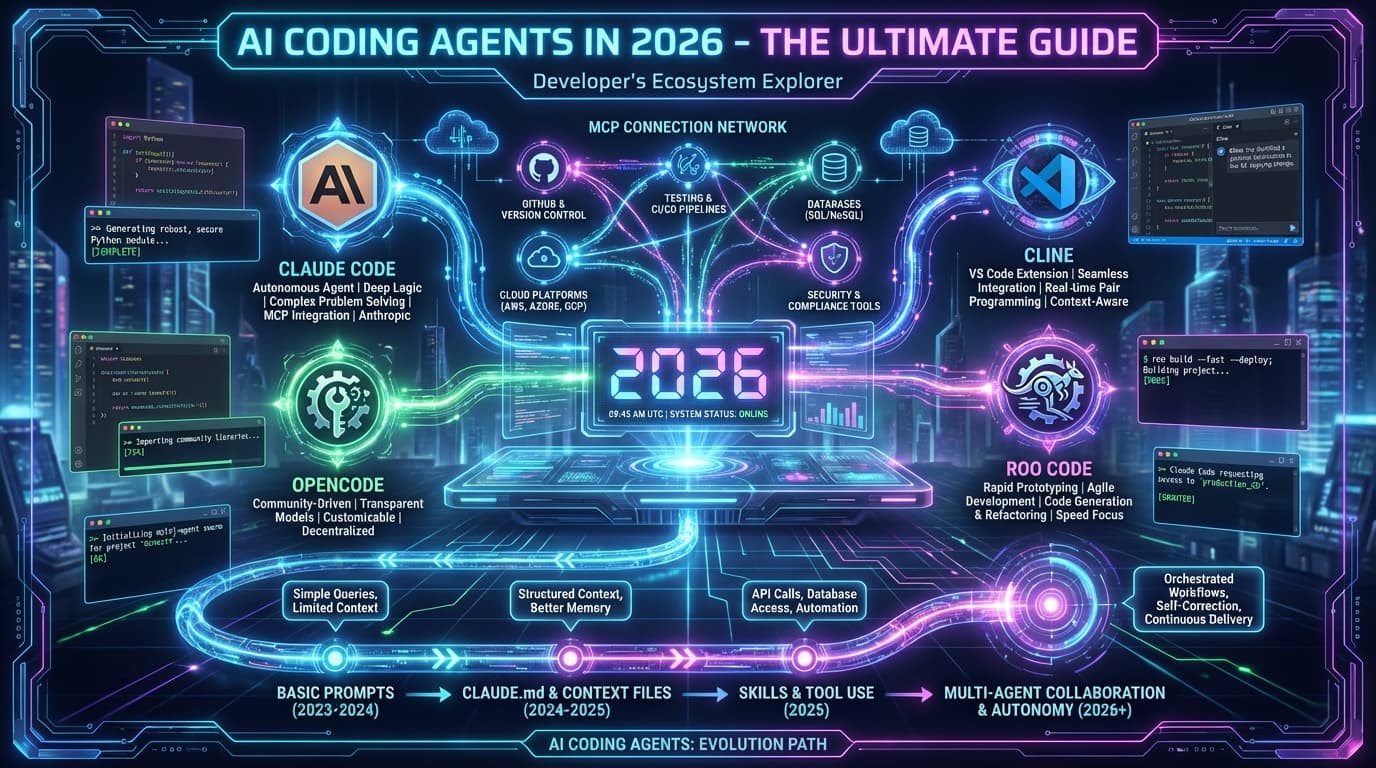
Technology25 min
The Ultimate Guide to AI Coding Agents in 2026: Claude Code, OpenCode, Cline, and Beyond
Master AI-powered development with the complete guide to coding agents. Learn to set up Claude Code, OpenCode, Cline, Roo Code, and build your evolution from basic prompts to multi-agent orchestration.
Read article
Creator Systems5 min read
How to Write a CLAUDE.md That Actually Works
The file Claude Code reads first every session. Structure, anti-patterns, and the exact template I use to ship 170+ pages.
Read article