TechnologyJanuary 16, 202625 min
The Ultimate Guide to AI Coding Agents in 2026: Claude Code, OpenCode, Cline, and Beyond
Master AI-powered development with the complete guide to coding agents. Learn to set up Claude Code, OpenCode, Cline, Roo Code, and build your evolution from basic prompts to multi-agent orchestration.

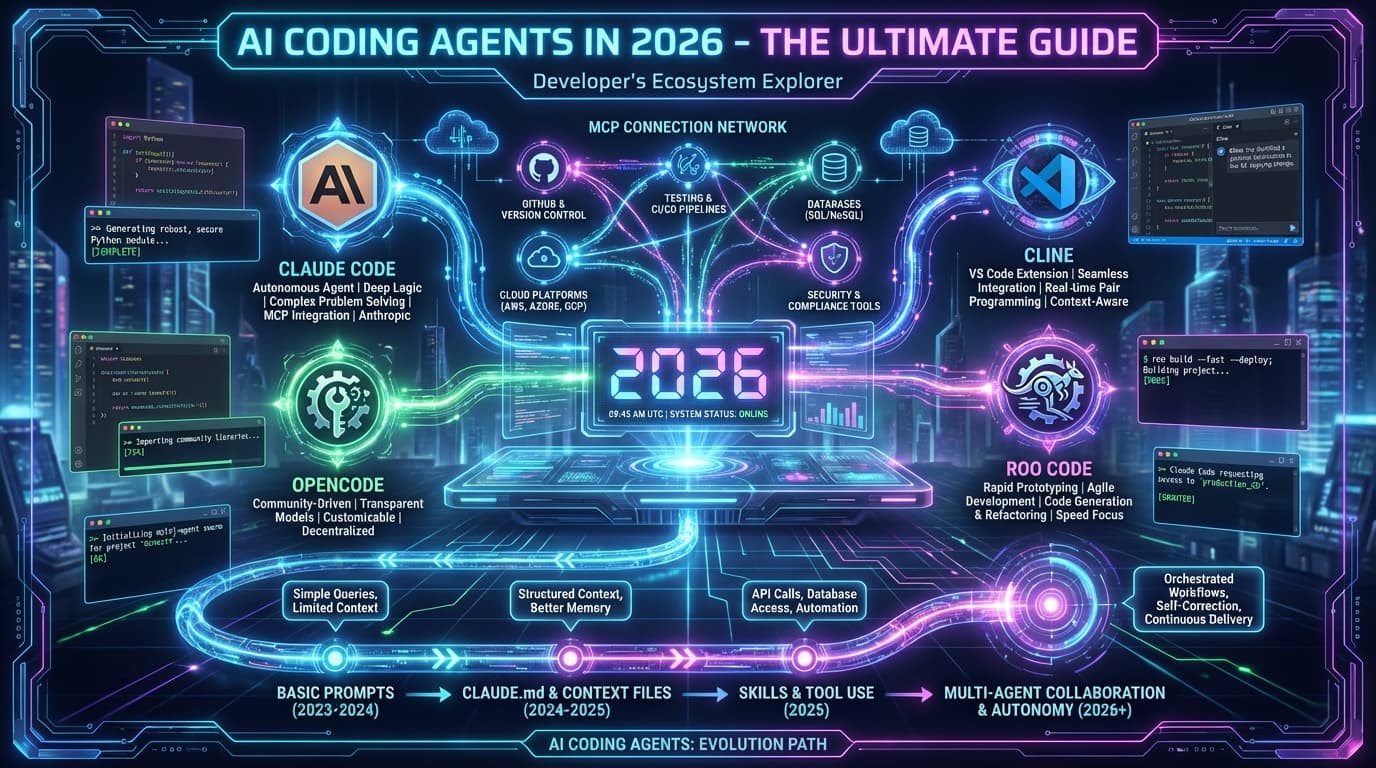
The Ultimate Guide to AI Coding Agents in 2026
TL;DR: AI coding agents like Claude Code, OpenCode, and Cline transform development by combining LLM intelligence with tool execution. This guide covers setup, configuration, the evolution framework (CLAUDE.md, skill.md, agent.md), MCP servers, and multi-agent orchestration. Start with Claude Code for the best experience, then evolve your system as you master each level.
What Are AI Coding Agents?
AI coding agents are more than chatbots that write code. They are autonomous systems that can:
- Read and understand your entire codebase
- Execute commands in your terminal
- Write, edit, and refactor code across multiple files
- Search the web for documentation and solutions
- Connect to external tools via the Model Context Protocol (MCP)
Unlike simple code completion tools, agents can handle complex, multi-step tasks like "refactor the authentication system to use JWT" or "set up a new API endpoint with tests and documentation."
The AI Coding Agent Landscape
Major Players in 2026
| Agent | Creator | Best For | License |
|---|---|---|---|
| Claude Code | Anthropic | Official Claude integration, best MCP support | Proprietary |
| OpenCode | Community | Customization, open-source, extensibility | Open Source |
| Cline | Community | VS Code users, visual feedback | Open Source |
| Roo Code | Community | Multi-model experimentation | Open Source |
| Kilo Code | Community | Lightweight, quick tasks | Open Source |
How Agents Work
Every coding agent follows a similar architecture:

The agent perceives your request and codebase, reasons about the best approach, takes action, and uses feedback to refine its work.
Getting Started with Claude Code
Claude Code is Anthropic's official CLI for Claude, offering the tightest integration with Claude models and the best MCP support.
Installation
# Install via npm
npm install -g @anthropic-ai/claude-code

# Or with Bun (faster)
bun install -g @anthropic-ai/claude-code

# Set your API key
export ANTHROPIC_API_KEY="your-key-here"

# Start Claude Code
claude
First Steps
Once installed, try these commands:
# Start in a project directory
cd your-project
claude

# Inside Claude Code
> "What is this project about?"
> "Find all TODO comments in the codebase"
> "Write tests for the utils.ts file"
Essential Commands
| Command | Purpose |
|---|---|
/help | Show all available commands |
/clear | Clear conversation history |
/compact | Compress context to save tokens |
/model | Switch between Claude models |
/mcp | Manage MCP server connections |
Setting Up OpenCode
OpenCode is the leading open-source alternative, offering extensive customization through its plugin system and oh-my-opencode extensions.
Installation
# Via npm
npm install -g @opencode-ai/cli

# From source for maximum control
git clone https://github.com/opencode-ai/opencode
cd opencode
bun install
bun link
Configuration
Create .opencode/config.yaml in your project:
version: "1.0"

model:
  provider: anthropic
  name: claude-3-5-sonnet-20241022
  temperature: 0.7

project:
  include:
    - "src/**/*.ts"
    - "*.md"
  exclude:
    - "node_modules"
    - ".git"

permissions:
  fileWrite: prompt
  shellExec: prompt
Oh-My-OpenCode
The community extension pack supercharges OpenCode:
opencode plugin install oh-my-opencode
This adds:
- Enhanced git integration
- Code review automation
- Project scaffolding templates
- Custom prompts library
The Evolution Framework
The key to mastering AI coding agents is understanding the evolution from basic usage to full orchestration.
Level 0: Basic Prompts
Where everyone starts:
> "Write a function to validate email"
> "Fix the bug on line 45"
Limitations: No persistent context, agent doesn't know your patterns.
Level 1: CLAUDE.md - Project Context
Your first evolution. Create a CLAUDE.md file in your project root:
# My Project

## Overview

This is a Next.js 15 e-commerce platform.

## Tech Stack

- TypeScript
- Next.js 15 (App Router)
- PostgreSQL with Drizzle

## Conventions

- Functional components only
- Tests in **tests** folders
- Use pnpm

## Current Focus

Working on checkout flow.
Now the agent understands your project context in every conversation.
Level 2: skill.md - Domain Expertise
Package your knowledge into reusable skills:
# TypeScript Best Practices

## Core Principles

### Strict Mode Always

Enable strict mode in tsconfig.json.

### Use Type Guards

function isUser(value: unknown): value is User {
return typeof value === 'object' && 'name' in value;
}

## When to Use

- Writing new TypeScript code
- Reviewing TypeScript PRs
Skills let you consistently apply expertise across projects.
Level 3: agent.md - Agent Personas
Create specialized agents with distinct behaviors:
# Code Reviewer Agent

## Identity

You are a meticulous senior code reviewer.

## Personality

- Thorough but not pedantic
- Explains the "why" behind suggestions
- Prioritizes critical issues

## Response Format

## Review Summary

[Assessment]

## Critical Issues

[Must fix]

## Suggestions

[Nice to have]
Level 4: Plugins & MCP Servers
Extend capabilities with custom tools:
// Custom MCP server for your database
import { Server } from "@modelcontextprotocol/sdk/server/index.js";

const server = new Server({
  name: "my-database",
  version: "1.0.0",
});

server.setRequestHandler("tools/list", async () => ({
  tools: [
    {
      name: "query_customers",
      description: "Query customer data",
      inputSchema: {
        /* ... */
      },
    },
  ],
}));
Level 5: Orchestration
Coordinate multiple agents for complex tasks:
# Feature development workflow
steps:
  - agent: architect
    task: "Design feature architecture"

  - agent: coder
    task: "Implement based on design"

  - agent: reviewer
    task: "Review implementation"

  - agent: tester
    task: "Write comprehensive tests"
MCP: The Model Context Protocol
MCP is the open standard that allows AI models to connect to your data and tools securely.
Why MCP Matters
Before MCP, every integration was custom. Now:
- Standardized: Write once, use everywhere
- Secure: Authentication built into protocol
- Growing: Hundreds of community servers
Core Components
| Component | Purpose | Example |
|---|---|---|
| Resources | Expose data to models | Database schemas |
| Tools | Let models take actions | Send email, query API |
| Prompts | Reusable templates | Code review prompt |
Popular MCP Servers
- PostgreSQL Server: Query databases naturally
- GitHub Server: Manage repos and PRs
- Slack Server: Send messages and manage channels
- Notion Server: Access your workspace
Enterprise Considerations
When to Use Public APIs vs Private Infrastructure
| Use Case | Recommendation |
|---|---|
| Experimentation | Public APIs (OpenAI, Anthropic) |
| Production with sensitive data | Private deployment (Oracle GenAI, Azure OpenAI) |
| Regulatory compliance | Dedicated AI clusters |
| Custom fine-tuning needed | Self-hosted (Llama) or dedicated clusters |
Oracle GenAI for Enterprise
For enterprises requiring:
- Data sovereignty
- Regulatory compliance (HIPAA, SOC2)
- Consistent performance guarantees
- Integration with existing OCI infrastructure
Oracle GenAI Services and Dedicated AI Clusters provide the control enterprises need.
Best Practices
1. Start Small, Evolve Gradually
Don't try to implement everything at once. Master each level before moving to the next.
2. Invest in Project Context
A well-crafted CLAUDE.md saves hours of repeated explanations.
3. Build Skills Over Time
When you explain something twice, make it a skill.
4. Review AI Output
AI agents are powerful but not infallible. Always review generated code.
5. Use the Right Model for the Task
| Task | Recommended Model |
|---|---|
| Quick questions | Claude Haiku |
| General coding | Claude Sonnet |
| Complex architecture | Claude Opus |
Frequently Asked Questions
What's the difference between Claude Code and Copilot?
Claude Code is an autonomous agent that can execute multi-step tasks, read/write files, and run commands. Copilot is primarily code completion in your editor. They complement each other.
Is my code safe with AI coding agents?
Reputable agents like Claude Code have strict security measures. Your code is processed but not stored or used for training. For maximum control, consider OpenCode with local models.
How much do AI coding agents cost?
Claude Code uses Anthropic's API pricing (approximately $3/million tokens for Sonnet). For heavy use, costs can add up. OpenCode with local models eliminates API costs.
Can I use multiple agents together?
Yes! Many developers use Claude Code for complex tasks and Copilot for inline completion. The evolution framework supports multi-agent orchestration.
What about offline use?
OpenCode with local models (Llama, CodeLlama) works completely offline. Claude Code requires internet for API calls.
Getting Started Today
-
Install Claude Code (recommended for beginners)
npm install -g @anthropic-ai/claude-code -
Create your first CLAUDE.md in a project
-
Try the free workshop at frankx.ai/workshops
-
Join the community for support and sharing
Resources
- AI Coding Agents Workshop - Complete hands-on training
- MCP Server Architecture Workshop - Build your own servers
- Oracle GenAI Workshop - Enterprise AI decisions
- Claude Code Documentation - Official docs
- MCP Protocol Specification - Technical details
Conclusion
AI coding agents represent a fundamental shift in how we develop software. By understanding the evolution framework—from basic prompts through CLAUDE.md, skills, agents, and orchestration—you can progressively enhance your development workflow.
Start simple, evolve deliberately, and remember: the goal isn't to replace your skills but to amplify them.
Ready to begin? Start the free AI Coding Agents workshop.
This guide is part of the FrankX Workshop System. Updated January 2026.
Related Articles
- Build Your Own Jarvis with Claude Code — Personal AI assistant architecture
- Claude Code 2.1 MCP Revolution — Latest features and capabilities
- Agentic Creator OS — The complete creative AI system
Get Started
Build your first AI system
Step-by-step guide to setting up ACOS, creating your first agent, and shipping real products with AI.
Start buildingTemplates & Blueprints
Production-ready architecture
Download AI architecture templates, multi-agent blueprints, and prompt engineering patterns.
Browse templatesInner Circle
Join the builder community
Connect with creators and architects shipping AI products. Weekly office hours, shared resources, direct access.
Join the circleRelated Research

Read on FrankX.AI — AI Architecture, Music & Creator Intelligence
Stay in the intelligence loop
Weekly field notes on AI systems, production patterns, and builder strategy.
Continue Reading
Workshops10 min
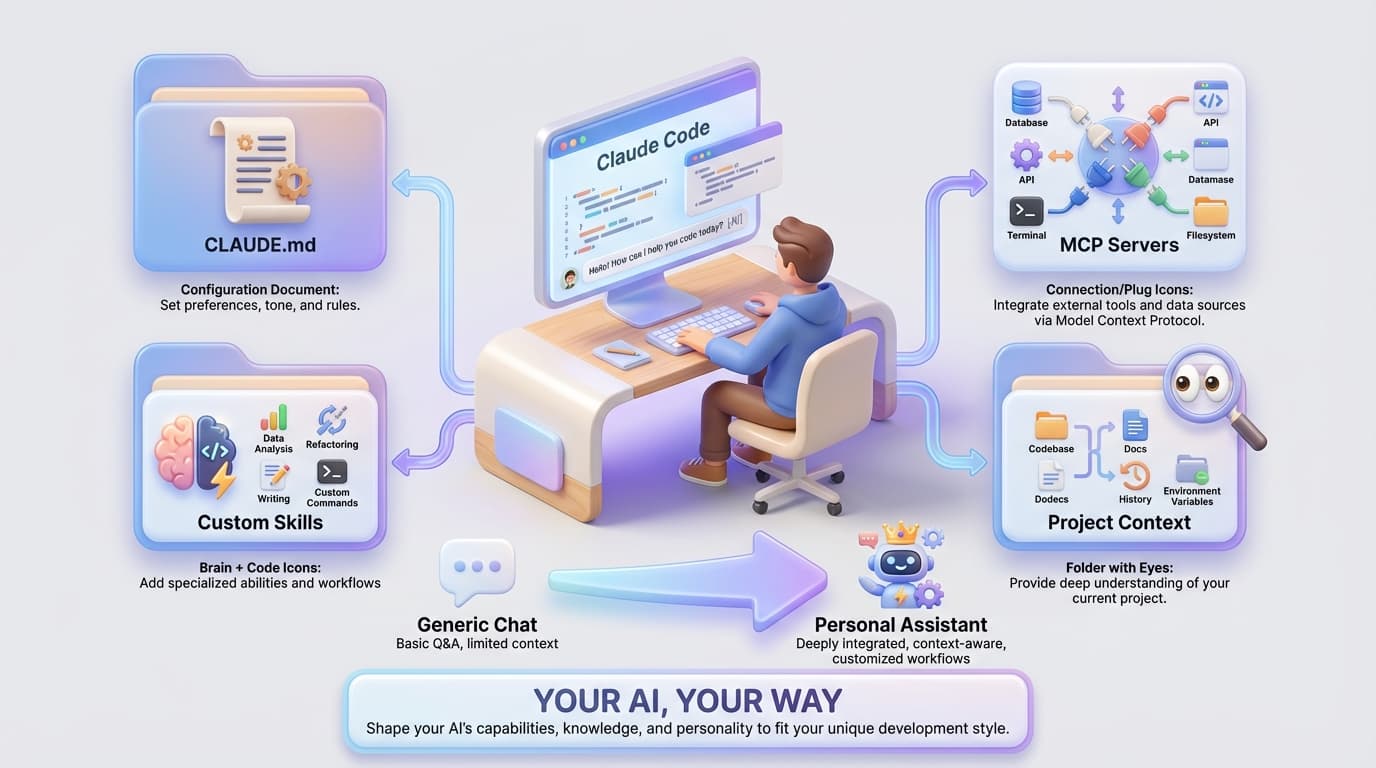
Build Your Personal AI Assistant: The Complete Setup Workshop
Create a customized AI development environment from scratch. Learn to configure Claude Code, build CLAUDE.md files, create custom skills, and connect MCP servers to your workflow.
Read article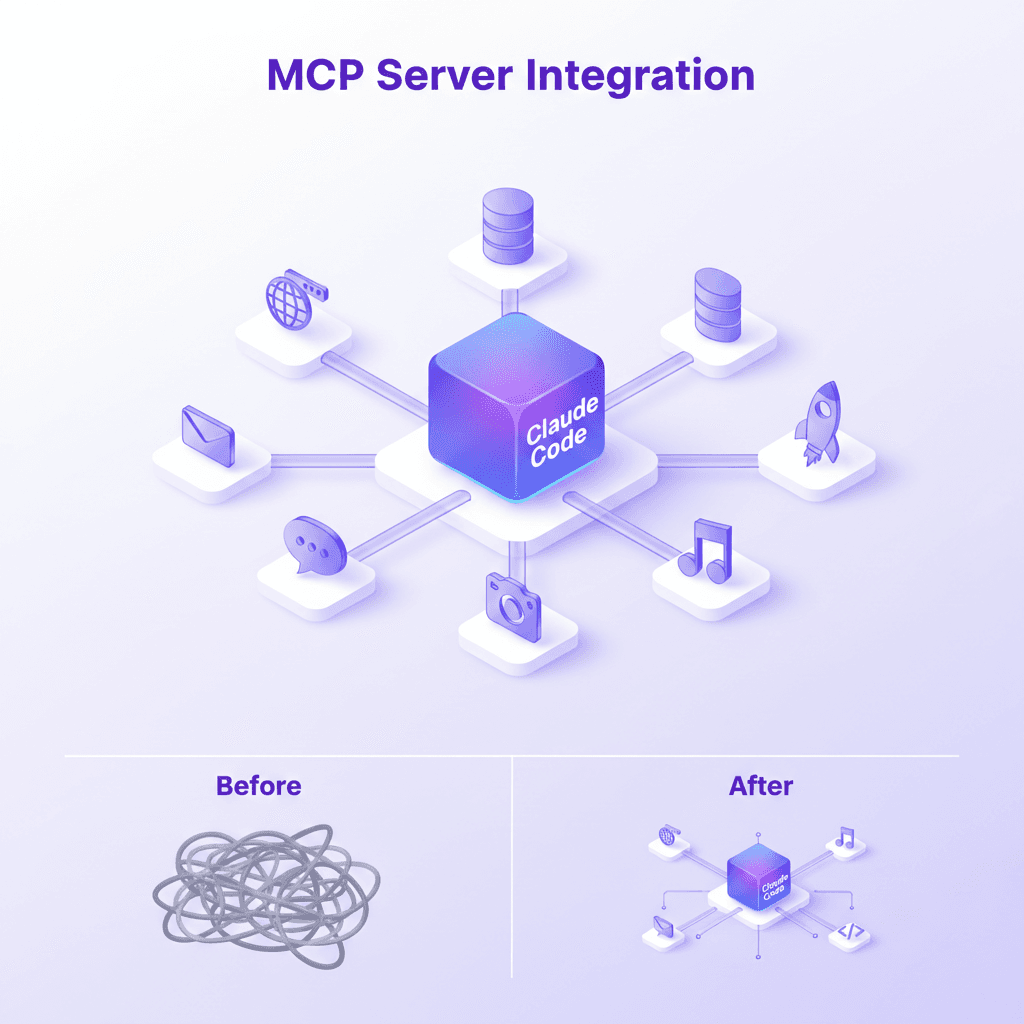
Intelligence Dispatches11 min read
MCP Server Guide 2026: ClawHub, Smithery, and What to Install
MCP servers, registries, and the protocol connecting AI assistants to databases, APIs, browsers, and developer tools. Includes my 21-server production stack.
Read article
AI & Systems7 min read
Claude Code 2.1: How MCP Tool Search Changed Everything
Claude Code 2.1 introduces MCP Tool Search, cutting token usage by 85% and boosting accuracy from 79.5% to 88.1%. An in-depth look at the biggest productivity upgrade since launch.
Read article