Creator SystemsSeptember 27, 202510 min read
The Creative OS: A Guide to Building Your Creative Operating System
Learn how to design and build your own Creative Operating System (Creative OS) to enhance your creativity, productivity, and impact.

🎯
Reading Goal
Provide a framework for creators to design and build their own Creative Operating System, integrating AI tools and conscious practices to amplify their creative potential.
The Creative OS: A Guide to Building Your Creative Operating System
A framework for designing a personalized system that transforms how you create, ship, and grow.
Executive Summary
After building 12,000+ songs with Suno, writing dozens of articles, and orchestrating multi-agent AI systems, I've learned one truth: the difference between creators who ship consistently and those who struggle isn't talent—it's systems.
A Creative Operating System (Creative OS) is your personalized infrastructure for creative work. It's the invisible architecture that transforms scattered inspiration into shipped projects, week after week.
What You'll Learn:
- The 5 pillars of a complete Creative OS
- How to audit your current creative workflow and identify leaks
- Tool selection frameworks (without the paralysis)
- AI integration strategies that amplify rather than replace your voice
- The mindset practices that make systems sustainable
What is a Creative OS?
A Creative OS is more than a collection of apps. It's a holistic system that captures, organizes, creates, ships, and evolves your work. It's the difference between hoping inspiration strikes and building a machine that generates creative output on demand.
Think of it like the operating system on your computer. You don't see it directly, but it coordinates everything—memory, processing, storage, communication. Your Creative OS does the same for your creative life.
The 5 Core Components:
| Component | Purpose | Question It Answers |
|---|---|---|
| Capture | Collect ideas and inspiration | "Where does every idea go?" |
| Organize | Structure and manage projects | "How do I find what I need?" |
| Create | Produce your creative work | "What's my production rhythm?" |
| Share | Distribute and promote work | "How does my work reach people?" |
| Learn | Reflect and improve | "What's working and what's not?" |
When these five components work together, creation becomes inevitable rather than accidental.
Designing Your Creative OS
Step 1: Define Your Creative Goals
Before choosing a single tool, you need clarity on what you're building toward. Vague goals create vague systems.
Questions to Get Clear:
-
What do I want to create in the next 90 days?
- A specific project (album, book, product)?
- A consistent output (weekly articles, daily music)?
- A skill development (mastering a tool, learning a craft)?
-
Who am I creating for?
- Yourself (personal expression, exploration)?
- A specific audience (creators, executives, musicians)?
- A community (Inner Circle, paying customers)?
-
What does success look like?
- Shipped work (1 track/week, 1 article/week)?
- Revenue (first sale, recurring income)?
- Growth (1000 subscribers, 100 customers)?
- Mastery (fluency with AI, technical skills)?
-
What constraints am I working within?
- Time (2 hours/day? Weekends only?)?
- Energy (morning person? Night owl?)?
- Resources (budget for tools? Free tier only?)?
Frank's Approach: I aim for 1 substantial article and 3-5 music tracks per week, targeting creators who want AI systems that feel soulful. My constraint is a full-time job, so I design for 2-hour deep work sessions.
Step 2: Audit Your Current Workflow
You can't fix what you can't see. An honest audit reveals where ideas leak, where energy drains, and where opportunities hide.
Areas to Audit:
Idea Capture
- Where do ideas currently go? (Notes app, voice memos, sticky notes, nowhere?)
- What percentage of ideas make it to action? (10%? 50%? 90%?)
- How quickly can you retrieve an idea when you need it?
Project Management
- Can you list your active projects right now without checking anything?
- How many projects have been "in progress" for more than 3 months?
- What's your completion rate on started projects?
Creation Sessions
- How often do you create vs. how often do you want to?
- What typically derails a creation session?
- How long until you're in flow state?
Publishing & Distribution
- What's the gap between "finished" and "shipped"?
- Do you have a distribution system or is it ad-hoc?
- How does your audience find your work?
Reflection & Growth
- When did you last review what's working?
- Do you have a way to track creative experiments?
- How do you capture lessons learned?
Audit Exercise: Score each area 1-5. Anything below 3 is a priority for your Creative OS redesign.
Step 3: Select Your Tools
Tool paralysis kills more Creative OS builds than tool selection. The best tool is the one you'll actually use.
Tool Categories (Pick One Per Category to Start):
Capture Tools
- Quick capture: Apple Notes, Notion Quick Capture, voice memos
- Long-form capture: Obsidian, Notion, Roam Research
- Visual capture: Miro, Excalidraw, physical notebook
Organization Tools
- Project management: Linear, Todoist, Notion databases
- File management: Finder/Files, Dropbox, Google Drive
- Knowledge management: Obsidian vault, Notion wiki, Craft
Creation Tools
- Writing: VS Code + MDX, Notion, Bear, iA Writer
- Music: Suno AI, Udio, Logic Pro, Ableton
- Video: CapCut, DaVinci Resolve, Descript
- Design: Figma, Canva, Midjourney
Distribution Tools
- Publishing: Vercel, Substack, Medium, Ghost
- Social: Buffer, Typefully, native platforms
- Email: ConvertKit, Beehiiv, Buttondown
Analytics & Reflection
- Analytics: Google Analytics, Fathom, Plausible
- Journaling: Day One, Obsidian daily notes, paper
- Review templates: Notion, Obsidian, spreadsheets
Frank's Stack:
- Capture: Obsidian (all notes) + Voice memos (ideas on the go)
- Organize: Obsidian vaults + Notion for project tracking
- Create: Claude Code + VS Code (writing), Suno (music), Figma (design)
- Share: Next.js on Vercel (website), ConvertKit (email), Buffer (social)
- Learn: Weekly review template in Obsidian
Step 4: Design Your Workflows
A tool without a workflow is just an app collecting dust. Workflows turn tools into systems.
Workflow Examples:
The Idea-to-Article Workflow
1. Capture → Obsidian inbox (raw idea, 1 sentence)
2. Incubate → Weekly review, promote to "Seeds" folder if still resonant
3. Outline → 30-min session, bullet point structure
4. Draft → 2-hour deep work session with Claude Code
5. Edit → Next-day review, polish with AI assistance
6. Publish → Commit to GitHub, auto-deploys to Vercel
7. Distribute → ConvertKit email, Buffer to social
8. Reflect → Analytics review in monthly retro
The Vibe-to-Track Workflow (Suno)
1. Mood capture → Voice memo describing the feeling/vibe
2. Reference hunt → Find 2-3 reference tracks that match
3. Prompt craft → Build Suno prompt with genre + emotion + structure
4. Generate → 3-5 variations, pick the best
5. Polish → Extend sections, refine with continue/remix
6. Master → Export, light EQ if needed
7. Publish → Upload to Spotify/Bandcamp/Suno profile
8. Document → Log what worked in Suno prompt library
The Weekly Content Cadence
Monday: Creator Systems article (workflow/automation focus)
Tuesday: Music production session (2-3 tracks)
Wednesday: Vibe Sessions article (music/frequency focus)
Thursday: Edit and schedule week's content
Friday: Intelligence Dispatches article (AI/strategy focus)
Weekend: Rest, reflection, and next week's planning
Step 5: Cultivate Your Mindset
The best tools and workflows fail without the right mindset. Your Creative OS needs software (tools) AND an operator (you).
Mindset Practices for Sustainable Creation:
1. The Shipping Mindset
- "Done is better than perfect" isn't a cliche—it's survival
- Set a "good enough" threshold before you start
- Ship fast, learn fast, iterate fast
- Practice: Commit to publishing something imperfect once a week
2. The Compound Mindset
- Small daily actions > occasional heroic efforts
- 1% better every day = 37x better in a year
- Your library of work IS your moat
- Practice: Track your creative output streak (days, weeks, months)
3. The Experimental Mindset
- Every project is a data point, not a judgment
- "What can I learn from this?" beats "Did I succeed?"
- Failed experiments are cheaper than failed launches
- Practice: Run one deliberate experiment per month with a hypothesis
4. The Abundance Mindset
- Ideas are infinite; the bottleneck is execution
- Sharing your work doesn't deplete it—it amplifies
- Other creators are collaborators, not competitors
- Practice: Give away your best work freely; abundance returns
5. The Recovery Mindset
- Rest is part of the system, not a break from it
- Creative blocks often signal unprocessed inputs
- Walking, sleeping, and doing nothing are creative acts
- Practice: Schedule one completely unscheduled day per week
Integrating AI into Your Creative OS
AI isn't a replacement for your Creative OS—it's a turbocharger. Used well, it amplifies your voice. Used poorly, it creates generic noise.
AI Integration Strategies That Work:
1. AI as Research Assistant
- Use Claude or ChatGPT to explore topics before you write
- Generate outlines, then rewrite them in your voice
- Ask for counterarguments to strengthen your thinking
- Prompt pattern: "What are the 5 strongest objections to [my thesis]?"
2. AI as First Draft Engine
- Generate raw material quickly, then edit heavily
- Use AI drafts as scaffolding, not final product
- Your edits ARE the creative work
- Prompt pattern: "Write a rough first draft about [topic]. Be bold and make claims."
3. AI as Editor
- Feed your drafts to AI for feedback
- Ask for specific improvements (clarity, pacing, word choice)
- Accept 30% of suggestions, reject 70%
- Prompt pattern: "Review this for [specific issue]. Be direct and critical."
4. AI as Creative Partner (Suno, Midjourney)
- Provide detailed creative direction via prompts
- Think of prompts as creative briefs, not commands
- The iteration loop (generate → evaluate → refine) is where craft lives
- Prompt pattern: Genre + Emotion + Structure + Specific Details
5. AI as Systems Builder (Claude Code, Cursor)
- Automate your workflows with AI-written scripts
- Build internal tools without coding expertise
- Create custom agents for repeated tasks
- Prompt pattern: "Build a script that [specific automation with clear inputs/outputs]"
The Golden Rule: AI should make your work MORE you, not less. If AI output sounds generic, you haven't personalized the prompt enough.
Next Steps
Building a Creative OS is iterative. Start small, ship fast, and evolve continuously.
Actionable Next Steps (This Week):
-
Audit (Today): Score your 5 components 1-5. Identify your weakest area.
-
Pick One Tool (Tomorrow): Choose ONE new tool for your weakest area. Install it.
-
Design One Workflow (This Week): Create a step-by-step process for one type of creative work (writing, music, video). Document it.
-
Ship Something (End of Week): Use your new tool/workflow to ship ONE piece of work. It can be small.
-
Review (Next Week): What worked? What didn't? Adjust your OS accordingly.
The Compound Effect: If you improve your Creative OS by 1% per week, in one year you'll have a system 68% more effective than where you started. In two years, 185%. Systems win.
Related Articles
- The Agentic Creator OS — Take your Creative OS to the next level with autonomous AI workflows
- Agentic SEO Publishing Masterplan — Systems for consistent content publishing at scale
- The Creative Frequency Framework — Align your creative work with your unique voice
Get Started
Build your first AI system
Step-by-step guide to setting up ACOS, creating your first agent, and shipping real products with AI.
Start buildingTemplates & Blueprints
Production-ready architecture
Download AI architecture templates, multi-agent blueprints, and prompt engineering patterns.
Browse templatesInner Circle
Join the builder community
Connect with creators and architects shipping AI products. Weekly office hours, shared resources, direct access.
Join the circle
Read on FrankX.AI — AI Architecture, Music & Creator Intelligence
Stay in the intelligence loop
Weekly field notes on AI systems, production patterns, and builder strategy.
Continue Reading
Creator Systems6 min read
The 30-Minute Creator OS: Build Your Minimum Viable Creative System
Skip the theory. In 30 minutes, you'll have a working creative system with capture, create, and ship workflows. Everything else can wait.
Read article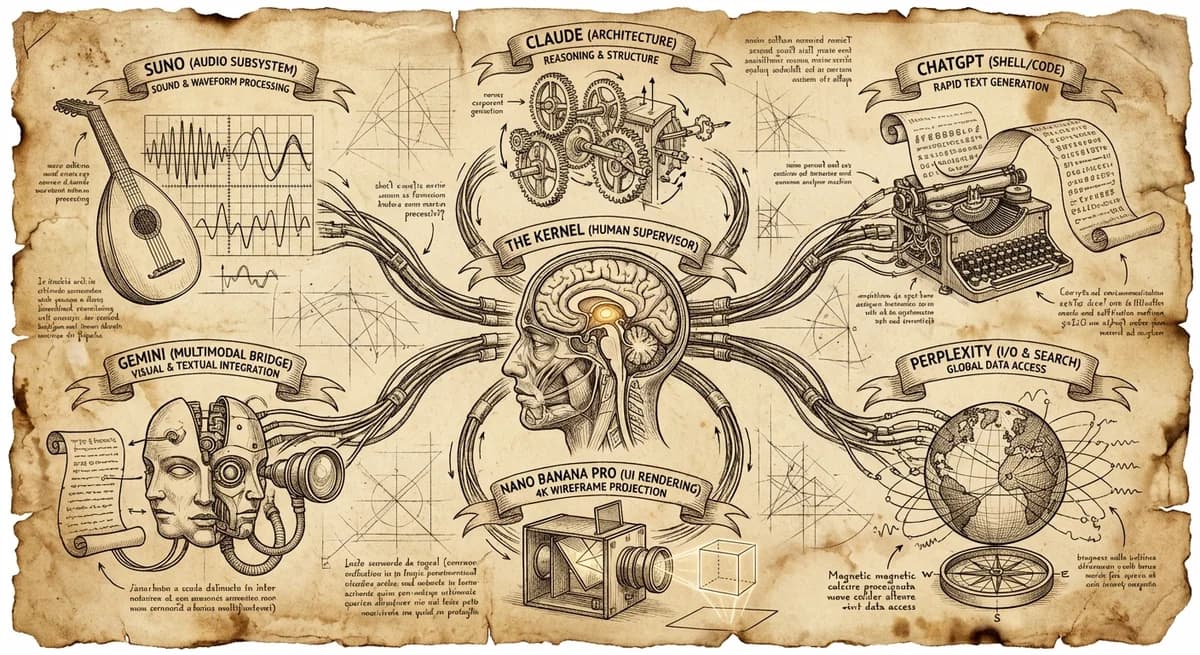
Creator Tools7 min read
The Best AI Tools for Creators in 2026: A GenCreator's Production Stack
The complete AI creator toolkit — from Claude Code for development to Suno for music. Every tool battle-tested in daily production use.
Read article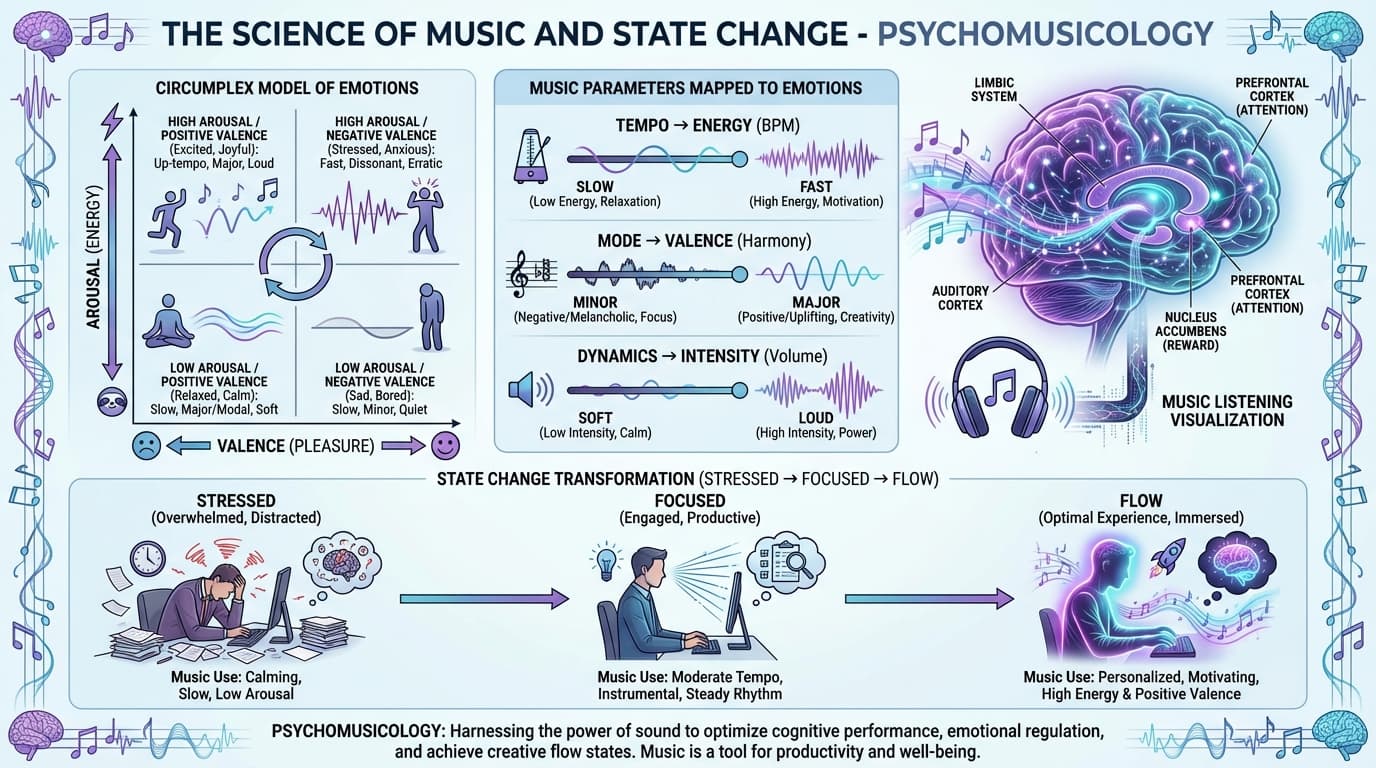
Vibe Sessions4 min read
The Science of Using Music to Change Your State
How tempo, mode, and lyrics create predictable emotional outcomes—backed by peer-reviewed research
Read article